
Install from the listing
Open the CrossUp listing in the Tiendanube app store and authorize the installation. Your catalog and orders sync on their own.
CrossUp installs from the app store and starts recommending related products, bundles and higher-value versions at every shopping moment. SalesPilot decides what to show, and your dashboard shows the incremental revenue it attributed.
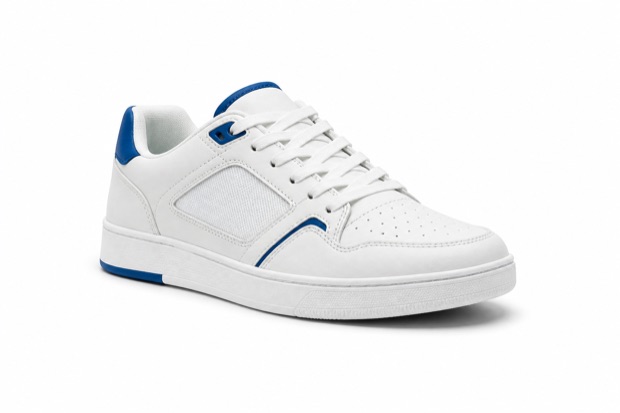 Urban sneakers$94.99
 Premium socks$5.99
 Classic cap$6.99
What it does in your store
CrossUp shows up on the product page, when a shopper adds to cart, in the cart, at the start of checkout, inside checkout and on the thank-you page. You choose which ones to activate and the AI decides what to show in each.
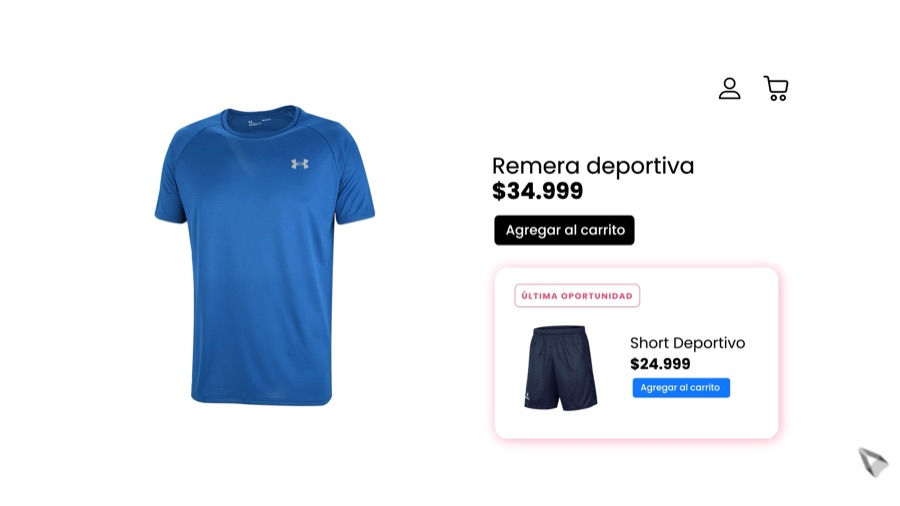
Before they add to cart, show the add-ons that complete the purchase.
The recommendation appears while the shopper is still exploring the product and has enough context to add something relevant.
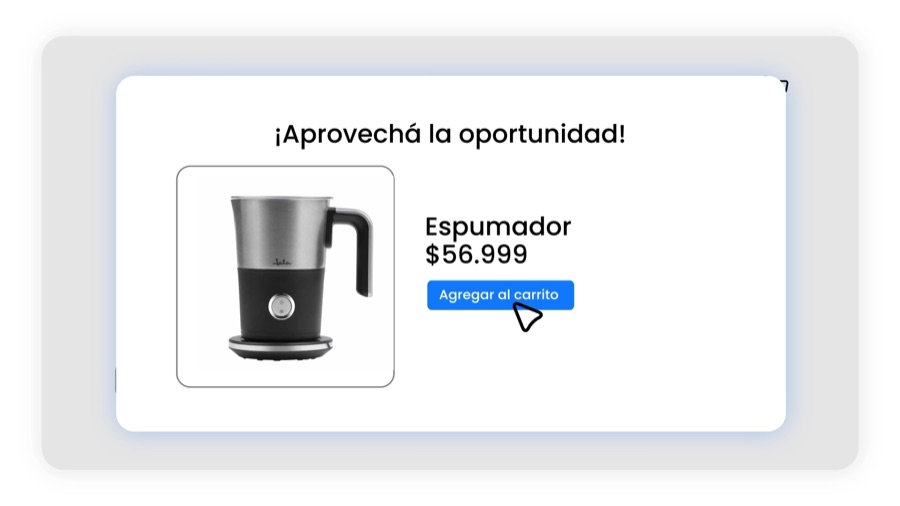
When intent is confirmed, offer the next relevant product.
A quick popup suggests the right add-on immediately after the click, without taking the shopper out of their journey.
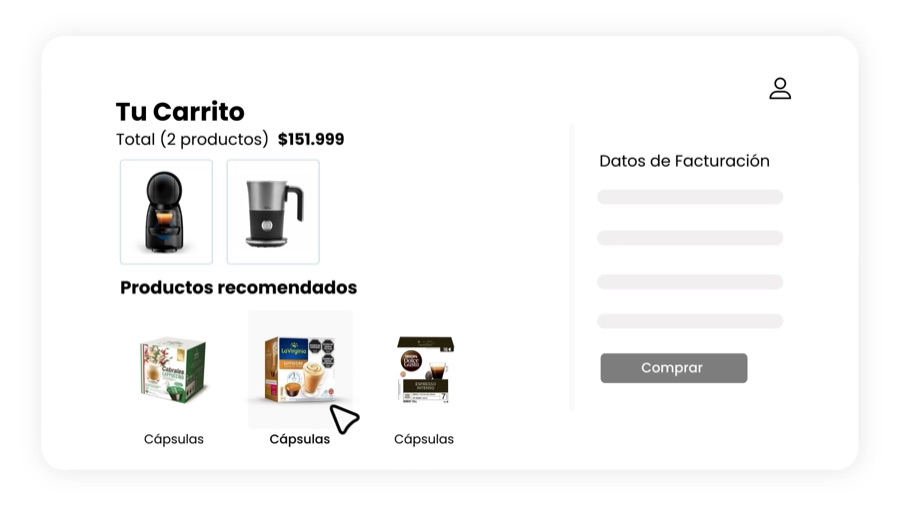
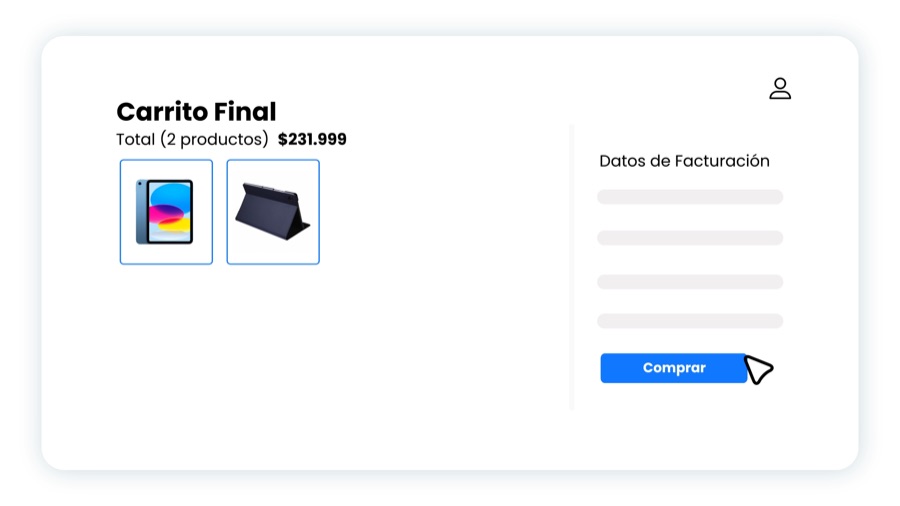
While the shopper reviews the order, help them find what is missing.
An embedded carousel lets shoppers add products while keeping the order and total visible.
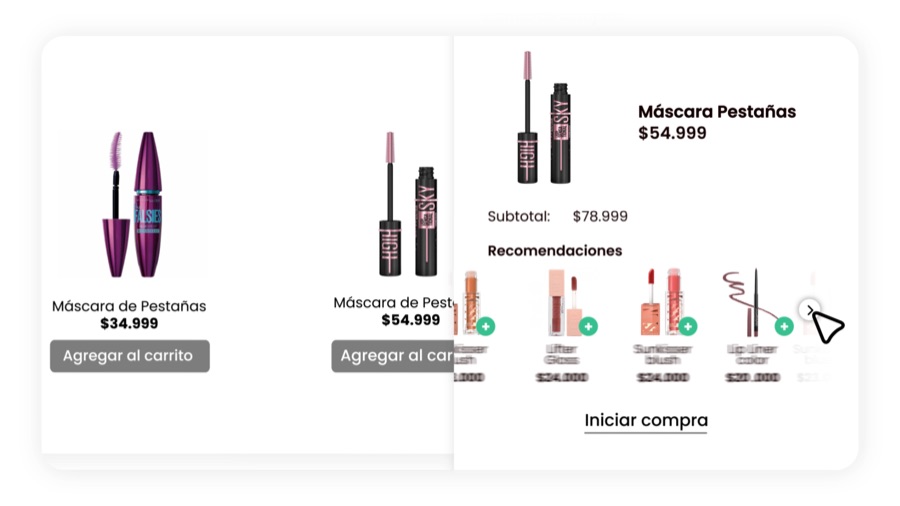
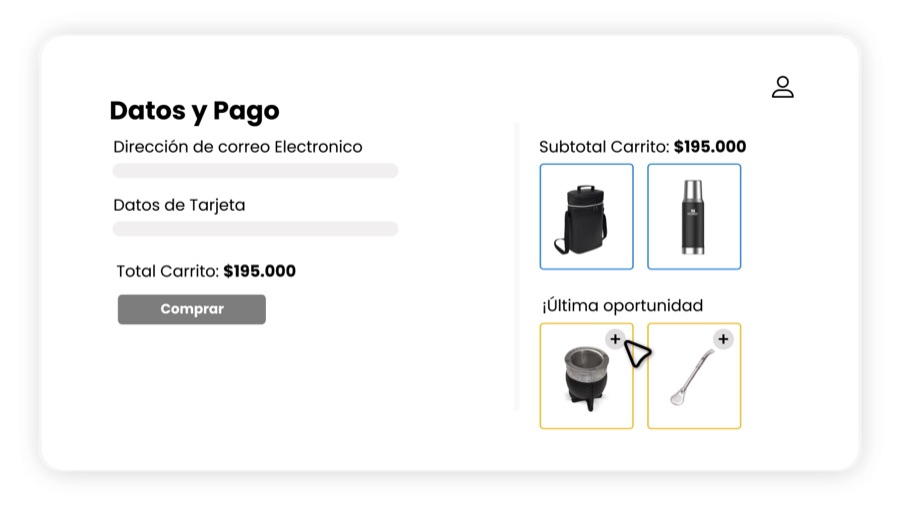
Right before checkout, take one last opportunity without interrupting payment.
A brief, easy-to-accept offer supports the highest-intent step without adding friction.
Inside checkout, add one simple recommendation at the right time.
The native integration keeps the focus on completing the purchase and respects the store’s design.
After checkout, set up the next purchase.
The confirmation becomes a new touchpoint for relevant, continuous recommendations.
Installation
You authorize the app, we sync catalog and orders, and your store is ready to recommend. The first accepted recommendation already shows up measured in the dashboard.
Open the CrossUp listing in the Tiendanube app store and authorize the installation. Your catalog and orders sync on their own.
Turn on SalesPilot and let the AI decide what to recommend, or build your own rules and bundles. Combine both and match the copy and colors to your store design.
Every accepted recommendation stays linked to its order. The dashboard shows how much revenue CrossUp added, day by day.
What stores are saying
Public reviews from the Tiendanube app store · 4.6/5 across 258 ratings. Written in Spanish and translated here; cuts are marked with […].
It is a very useful tool for showing related products without being invasive. It is very simple to use and it produces reports so you can track every campaign. Highly recommended, and it pays for itself!! Hudson Cocina
The app works great, it added a lot of revenue on our site with relatively little investment on our side. […] Special mention for customer support: a great team, always present, always in a good mood and with even better advice. Beauty Web
It is an allied tool for raising average order value, suggesting related products you can add an extra discount to, and now it has AI […]I love crossup. I run a mate shop and now nobody leaves without their bombilla. If they buy both, I also offer the thermos. The One Click system lets me keep my whole complementary-product strategy up to date in under 2 minutes. And almost 10% of everything I sell in revenue is thanks to this app. Support helped me a lot to set it up properly, because I had been using it for a while, but pretty badly.Excellent app. One of the best, without a doubt. In the first 15 days I grew my revenue by 20% just by creating a handful of UpSell and Cross offers. Try it, I highly recommend it. It works brilliantly, good interface and quality support. A 10! Vitalis Navitas
More than 1,000 stores have chosen CrossUp








Plans
Every plan pairs a fixed fee with a success fee on the incremental revenue it attributes. All three include SalesPilot, the six moments and a 15-day free trial.
For getting started with better conversion
+7.49% of incremental revenue
For growing stores
+2.99% of incremental revenue
For high-volume operations
+1.29% of incremental revenue
The commission applies only to incremental revenue attributed to CrossUp. Current prices and terms are shown in the dashboard when you subscribe.
Frequently asked questions
Upselling, related products, bundles, measurement and theme compatibility.
Start your free trialInstall CrossUp from the app store and activate the moments where you want to offer a higher-value option: the product page, the cart or checkout. SalesPilot reads catalog, orders and browsing to pick which upgrade to show each shopper, and you keep control of rules, copy and discounts. Every extra sale is attributed to its order in the dashboard.
CrossUp shows related products on the product page, right after add to cart, inside the cart and at checkout, with a native integration to your theme. The AI learns what sells together in your store and builds the affinities for you; you can also pin product pairs by hand. Pick the active moments and preview the result on mobile and desktop before publishing.
From the dashboard you build bundles of 2 to 6 products and choose the discount: fixed, progressive by quantity or none at all. SalesPilot proposes which products to combine based on the real affinities of your store, and you adjust the selection, the schedule and the design. The bundle goes live in the moments you choose and lifts every order that accepts it.
CrossUp pairs a fixed monthly fee with a success fee on the incremental revenue it attributes, across three plans: Impulso, Escala and Evolución. Attribution happens order by order and counts the products added from a CrossUp recommendation and actually purchased. You start with a 15-day free trial and pick your plan after seeing the result in the dashboard.
Yes. CrossUp integrates natively with Tiendanube themes and adapts to your store design: you customize copy, colors, corners and the behavior of each moment. Before publishing you review the result in a mobile and desktop preview, and you can activate or pause any moment whenever you want. The install leaves your theme code untouched.
One-click install, a 15-day free trial and incremental revenue measured from the first accepted recommendation.