
Show related products in your Tiendanube store
CrossUp shows related products at five moments of your Tiendanube store: the product page, add to cart, the cart, checkout and the thank-you page. SalesPilot, the CrossUp AI, chooses what to recommend to each shopper, and you pin the pairs you already know work.
SalesPilot active5 moments
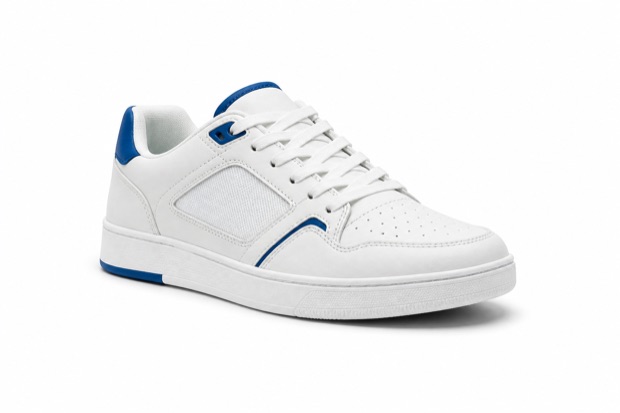 Urban sneakers$94.99
Goes well with your order
- Bought together
 Premium socks$5.99 Add
  Classic cap$6.99 Add
- Product
- Add
- Cart
- Checkout
- Thank you
What you can do
The product that completes the purchase, at the right moment.
A related product is whatever makes a purchase more complete: a complement, or an upgraded version of the same product.
Five shopping moments
Product page, add to cart, cart, checkout and thank-you page. Turn on the ones you want and pause them whenever you like.
SalesPilot decides what to show
The CrossUp AI reads catalog, stock, orders and browsing to choose what to recommend to each shopper. One of its signals is which products are bought together in your store.
Your pinned pairs
Create manual suggestions: for this product or category, recommend these. Choose cross-selling, a complement, or upselling, an upgraded version.
Leave out what does not fit
Exclude products or entire categories from recommendations. Your manual selection always takes priority over the AI’s.
Your store’s design
Templates per moment and device, colors synced with your store and your own copy, with a preview before publishing.
A/B testing
On Escala and Evolución, a suggestion can test several products and SalesPilot keeps the one that converts best.
Where your shopper sees it
Five moments, five different intentions.
Each moment comes with its own intent: discover, add, review, pay and come back. See how each one looks in a real store.
Product page
Before they add to cart, show the add-ons that complete the purchase.
The recommendation appears while the shopper is still exploring the product and has enough context to add something relevant.
- Customizable for your store
- Attributed measurement by moment
- Activate or pause anytime
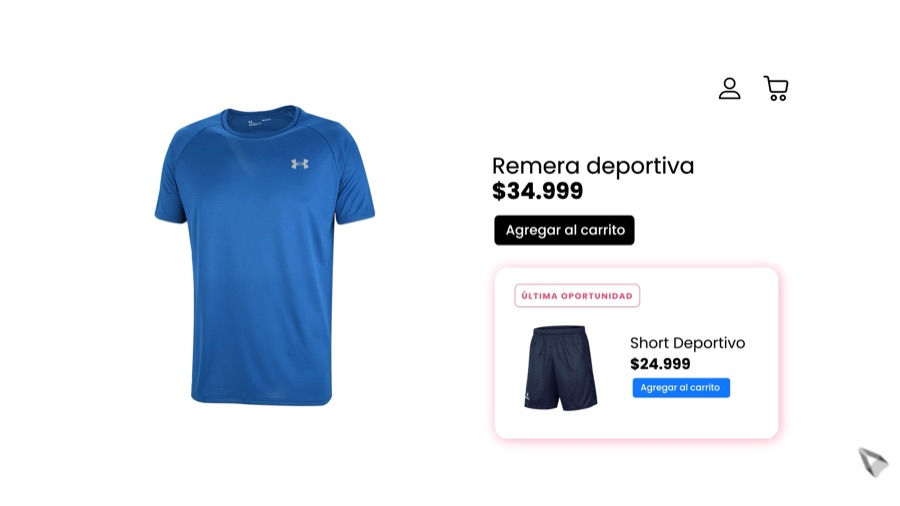
Add to cart
When intent is confirmed, offer the next relevant product.
Right after the click, a recommendation suggests the right add-on without taking the shopper out of their journey.
- Customizable for your store
- Attributed measurement by moment
- Activate or pause anytime
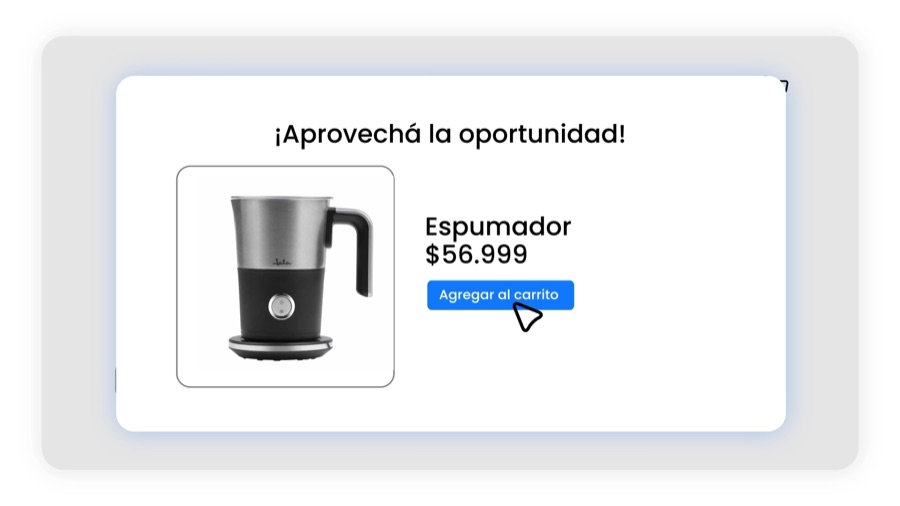
In the cart
While the shopper reviews the order, help them find what is missing.
An embedded carousel lets shoppers add products while keeping the order and total visible.
- Customizable for your store
- Attributed measurement by moment
- Activate or pause anytime
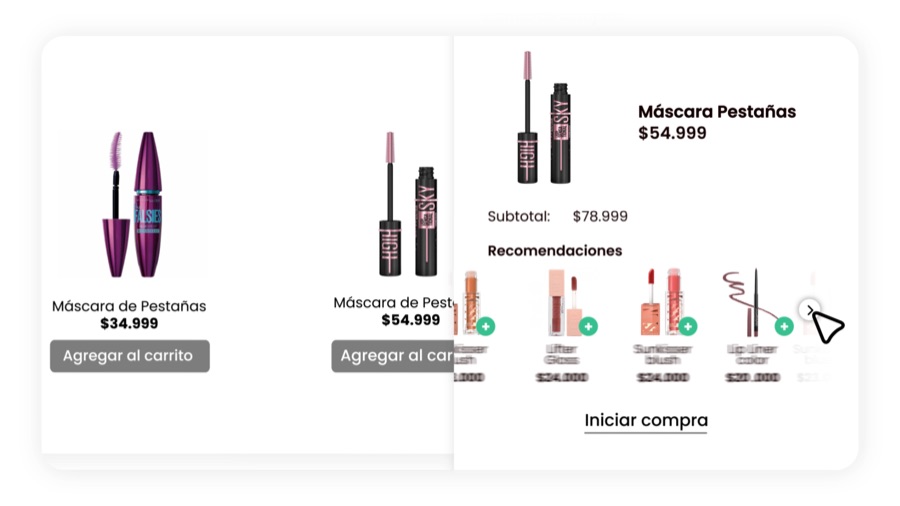
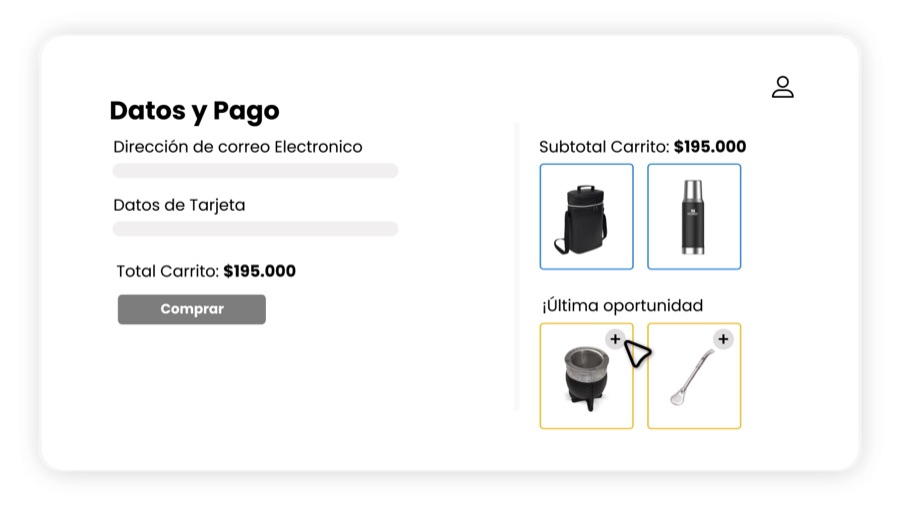
At checkout
Inside checkout, add one simple recommendation at the right time.
The native integration keeps the focus on completing the purchase and respects the store’s design.
- Customizable for your store
- Attributed measurement by moment
- Activate or pause anytime
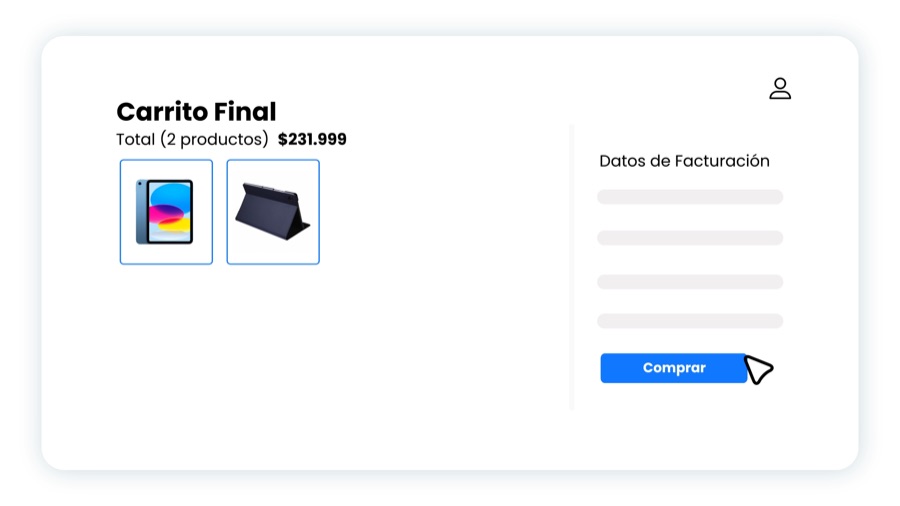
Thank-you page
After checkout, set up the next purchase.
The confirmation becomes a new touchpoint for relevant, continuous recommendations.
- Customizable for your store
- Attributed measurement by moment
- Activate or pause anytime
How to set it up
From install to the first recommendation.
Each moment is set up on its own, with SalesPilot, with your rules or with both together.
Install CrossUp
From the Tiendanube App Store. Your catalog and orders sync on their own.
Pick the moment
Conversion moments
Product page, add to cart, cart, checkout or thank-you page.
Turn on SalesPilot
Activate SalesPilot
The AI starts recommending at that moment with what it learns from your catalog and orders.
Add your rules
Create manual suggestion
Pin what to recommend for a product or a category; in the cart, checkout and thank-you page you hand-pick the products.
Boost and measure
Boost · Statistics
Tune the design, copy and discount of each moment, and see what each one sells.
How it is measured
Every accepted recommendation, attributed to its order.
CrossUp links each product added from a recommendation to the order that bought it. The product the shopper had already chosen stays out of the count.
- Attributed extra revenueBy day, by moment and by product.
- Views and clicksHow many people saw each recommendation and how many tapped it.
- Conversion rateHow many of the people who saw it ended up buying.
- My suggestionsEach manual suggestion with its performance, filterable by cross-selling, upselling and A/B test.
Which plan includes it
All five moments, in all three plans.
Impulso, Escala and Evolución include the five moments, SalesPilot and manual rules; A/B testing comes with Escala and Evolución.
Impulso
For getting started with better conversion
Five moments, SalesPilot and manual rulesIncluded
Escala
For growing stores
Five moments, SalesPilot and manual rulesIncluded
Evolución
For high-volume operations
Five moments, SalesPilot and manual rulesIncluded
Frequently asked questions
Related products on Tiendanube
Where they show up, how they are chosen, how much control you keep and how their sales are measured.
Start your free trialHow do I show related products on Tiendanube?
Install CrossUp from the Tiendanube App Store, choose the moments where they appear and turn on SalesPilot. To pin pairs, create manual suggestions for a product or a category.
Where in the store do they appear?
On the product page, when adding to cart, in the cart, inside checkout and on the thank-you page. Each moment is turned on and paused separately.
Can I hand-pick the products?
Yes. Pin what to recommend for each product or category and exclude what you do not want to show; SalesPilot covers the rest of the catalog and your manual selection takes priority.
What is the difference between cross-selling and upselling?
Cross-selling adds a complement, like socks for a pair of sneakers; upselling offers an upgraded version of the same product. You choose one or the other in each manual suggestion.
How does SalesPilot decide what to recommend?
It uses your store’s catalog, stock, orders and browsing; a key signal is which products are bought together, and it can add similarity signals when they are available. It always follows your rules and exclusions.
How do I know whether a recommendation sold?
CrossUp links each product added from a recommendation to the order that bought it. The dashboard shows that attributed revenue by day, by moment and by product.
Go deeper
Guides from the blog
How to get the most out of it, with examples for your store.
- Related products on Tiendanube: how to choose and show themComplements, alternatives, upgrades and variants: which related product to show at each of the five Tiendanube moments, how to combine SalesPilot with your rules and how to measure every sale.Read the guide
- Frequently bought together: how to turn co-purchases into recommendationsWhat it means when two products are bought together, how to read that signal without mistaking popularity for affinity, and when to turn it into a recommendation or a bundle with SalesPilot.Read the guide
- The 5 moments to recommend products in e-commerce (and what to offer at each one)Your store has five moments to recommend products: product page, add to cart, cart, checkout and thank-you page. What to offer at each one and how to measure it.Read the guide
- AI cross-selling: what changes versus manual rulesManual rules or AI to recommend products? What changes, when each one is worth it, and why combining them works best.Read the guide
- Product map: how it connects your catalogWhat a product map is, which relationships it connects (complements, alternatives, variants, kits and co-purchases) and how SalesPilot uses those signals to recommend the right item at each moment and put your bundles first.Read the guide
All in one app
More ways to grow average order value
Recommendations, bundles and volume discounts run from the same dashboard and are measured with the same order-level attribution.


CrossUp for TiendanubeHow SalesPilot decidesPlans and pricing
Turn on related products with SalesPilot.
Install CrossUp in your Tiendanube store, choose the moments and track attributed revenue from the first accepted recommendation.